Mediation Setup
Add Empower as a custom event in your Google Ad Manager yield groups. The setup is the same for both Google SDKs.
Custom Event Values
Every custom event uses these values. The same class name serves every ad format.
| Field | Value |
|---|---|
| Class Name | net.empower.mobile.ads.mediation.google.EmpowerMediationAdapter |
| Label | The value Empower gives you for this ad unit, for example empower@15 |
| Parameter | Leave empty unless Empower gives you one |
warning
Class Name and Label are case sensitive. Copy them exactly, with no spaces before or after.
Step 1: Add Empower as a Company
- Open Google Ad Manager and go to Admin → Companies.
- Click New company and choose Ad network.
- Set Name to
Empower Ads, Select an ad network to Other company, and turn Mediation on. - Click Save.
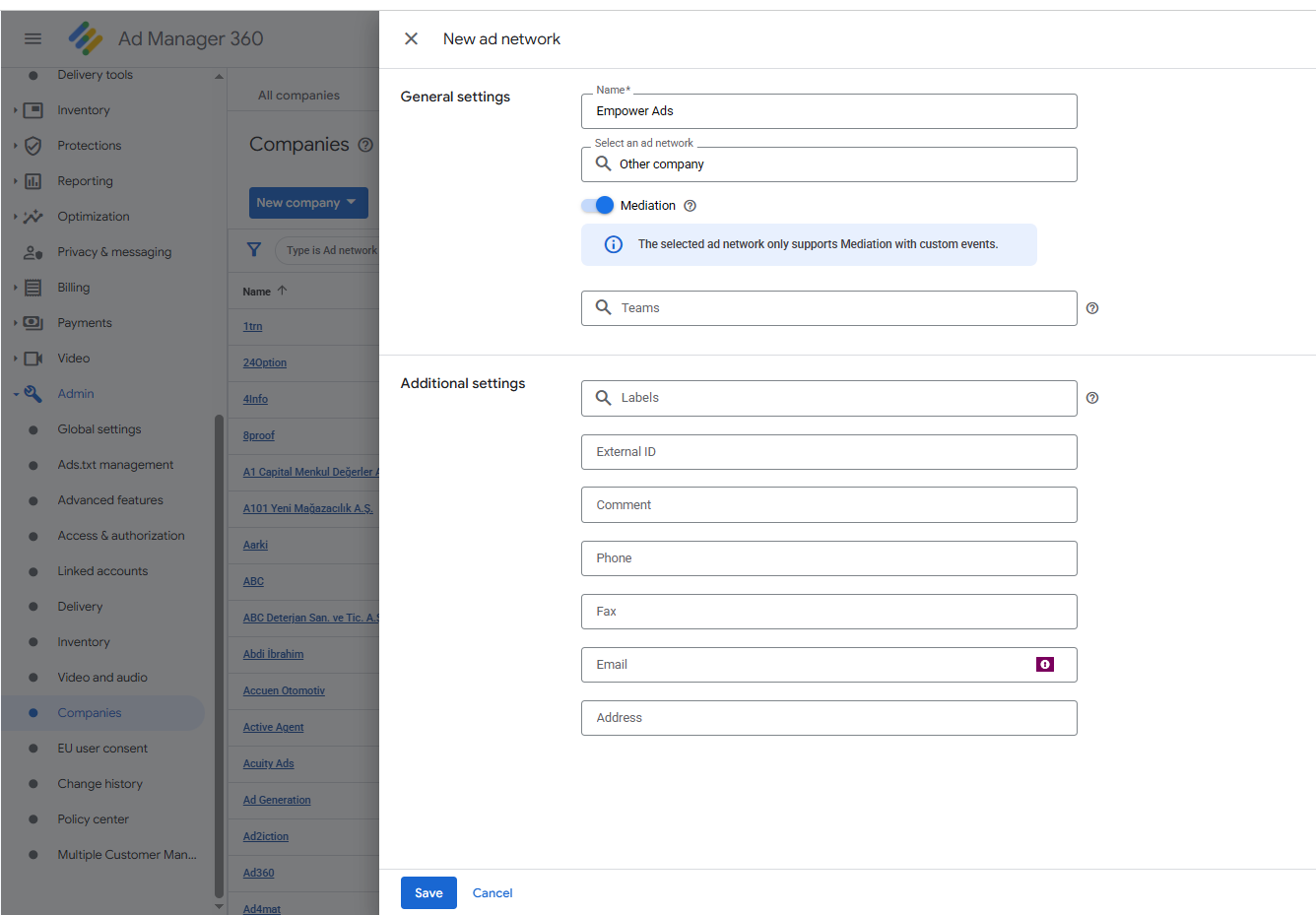
You need to do this only once per network.
Step 2: Add Empower to a Yield Group
- Go to Delivery → Yield groups and open a yield group, or click New yield group.
- Select the ad format and set Inventory type to Mobile app.
- Under Yield partners, click Add yield partner.
- Fill in the yield partner:
| Field | Value |
|---|---|
| Yield partner | Other company (Empower Ads) |
| Integration type | Custom Event |
| Platform | Android |
| Status | Active |
| Default CPM | Provided by Empower |
- Under Additional yield partner details, enter the Label, Class Name and Parameter from Custom Event Values.
- Click Save, then save the yield group.
Check the Integration
Empower ads appear after Google picks Empower in the yield group. To follow the adapter, filter Logcat by the tag EmpowerGoogleAdapter.
tip
If the log says the parameter and label are empty, the custom event has no Label. Add it in Google Ad Manager and save again.